
Electronic devices have made our lives much more comfortable.
According to a study collected by the INE, more than 70% of the European population has the primary devices (mobile, computer, TV, washing machine, etc.), so it is common to find them in all homes, using them in the daily routine. Of course, we must make good use of them and take good care of them. At Euro Maids, we explain a series of cleaning tricks to keep your appliances clean and well cared for:
How To Clean Important Electronic Devices
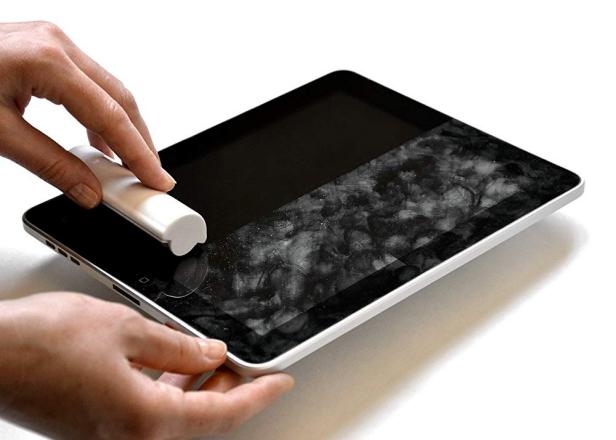
- Screens (TV, mobile, smartphones, etc.) To clean them, use a microfiber cloth with a little water. Add water to a “spray” container, spray it, and rub gently.
- If you want to do a perfect cleaning, you can use distilled water together with isopropyl alcohol. They will shine like the first day!
- AVOID chemicals, and they damage their performance and image.
Remote control. One of the dirtiest devices and a source of bacteria. Although if adequately treated, they can be cleaned with a little water moistened with a cloth and rubbed.
- If you prefer, there are special wipes for cleaning that give good results.
- Keyboard. It doesn’t take a lot of work, turn it over and shake it lightly so that all the dirt falls. Once done, use cotton soaked in glass cleaner and mould it according to the shape of the keys, gaps, and like new!
- Connections in electricity. Being a delicate area (mainly because of the plugs), use a special spray (you can find it in any hypermarket or kitchenware stores) and wipe it with a dry cloth until it is completely absorbed.
- Speakers (computers and music equipment). For surface dust cleaning, a simple duster will suffice. If the powder is very thick, we can use a brush and remove it gently.
Optical laser of the players (or laser lens). Sometimes, when we insert cd / DVD on the computer, it is not readable or does not recognize its content.
On several occasions, it is because the laser optics have become encrusted with dust and need to expel it.
- Using a cotton swab (cotton buds), moisten it with isopropyl alcohol and apply it to the lens.
With less than ten utensils and tools that most homes have, we can properly clean and maintain the main electrical appliances that we have.
If you want to discover all kinds of tricks, tips, and recommendations in cleaning, visit the Euro maids blog, you will love all the curiosities.
